Reviews
Digital Kitten Creator Studio offers a wonderfully relaxing creative experience. The intuitive drag-and-drop controls make it easy to design a unique kitten, and the vast color and pattern library ensures no two creations are alike. It is perfect for cat lovers and anyone seeking a calming digital pastime. The ability to save and share designs adds a nice social touch, while the absence of time limits keeps the focus on pure fun. A truly wholesome game for the whole family.
Description
Game Introduction
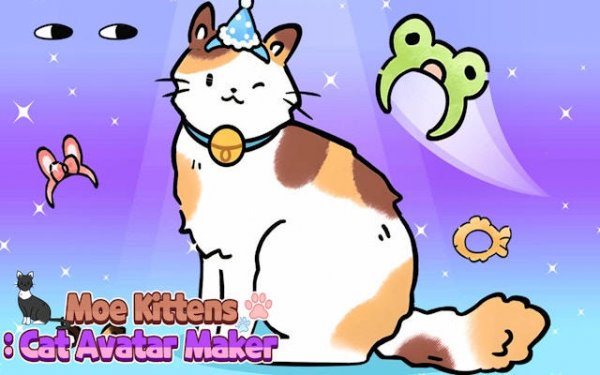
Digital Kitten Creator Studio is a free online creative tool that invites players to design their own virtual feline companion. The core objective is to craft a one-of-a-kind cat avatar using a wide range of customization choices. This game provides a relaxing and imaginative space for cat enthusiasts and anyone who enjoys digital art. It stands out as a wholesome, family-friendly experience focused purely on creativity and self-expression. Players can explore different color palettes, fur patterns, and facial features to bring their ideal kitten to life. The game encourages artistic exploration without any pressure to complete objectives or achieve high scores. Whether you prefer realistic calico designs or whimsical rainbow creations, the tools provided allow for a wide range of expression. This makes the game suitable for all ages and skill levels, offering a calm and enjoyable pastime. The interface is designed to be straightforward, so even first-time users can start creating immediately.
How to Play
Players typically begin by selecting base colors and fur patterns for their kitten, such as spots or stripes. Using intuitive drag-and-drop controls, you can then customize features like the eyes, ears, and tail shape. There are no strict rules or time limits, allowing you to experiment freely. Once your design is complete, you can save your creation and share it with friends to show off your artistic work. The interface is designed to be straightforward, so even first-time users can start creating immediately. The game may include options to adjust the size and position of various elements, giving you fine control over the final look. This simple, step-by-step process makes the game accessible and enjoyable for everyone.
Game Features
This simulation game offers deep customization, including a vast library of colors, patterns, and features. You can mix and match endless combinations to create anything from a realistic calico to a whimsical rainbow feline. The game is designed for relaxation and artistic exploration, with no pressure to complete objectives. It may also include options to save and share your designs, enhancing the social aspect of the experience. The tools are easy to use, making it simple to experiment with different looks. The focus is on creativity and personal expression, allowing each player to produce a cat avatar that reflects their unique style. The game runs smoothly in a browser, requiring no downloads or installations.
Tips for Success
To make the most of your creative journey, start by exploring all available customization options before settling on a design. Experiment with different color combinations and patterns to discover unique looks. Take your time and enjoy the process, as there are no time limits or wrong choices. Sharing your finished avatar with friends can inspire new ideas and add to the fun. The key is to relax and let your imagination guide you, resulting in a satisfying and personal creation.